Put the work in its place
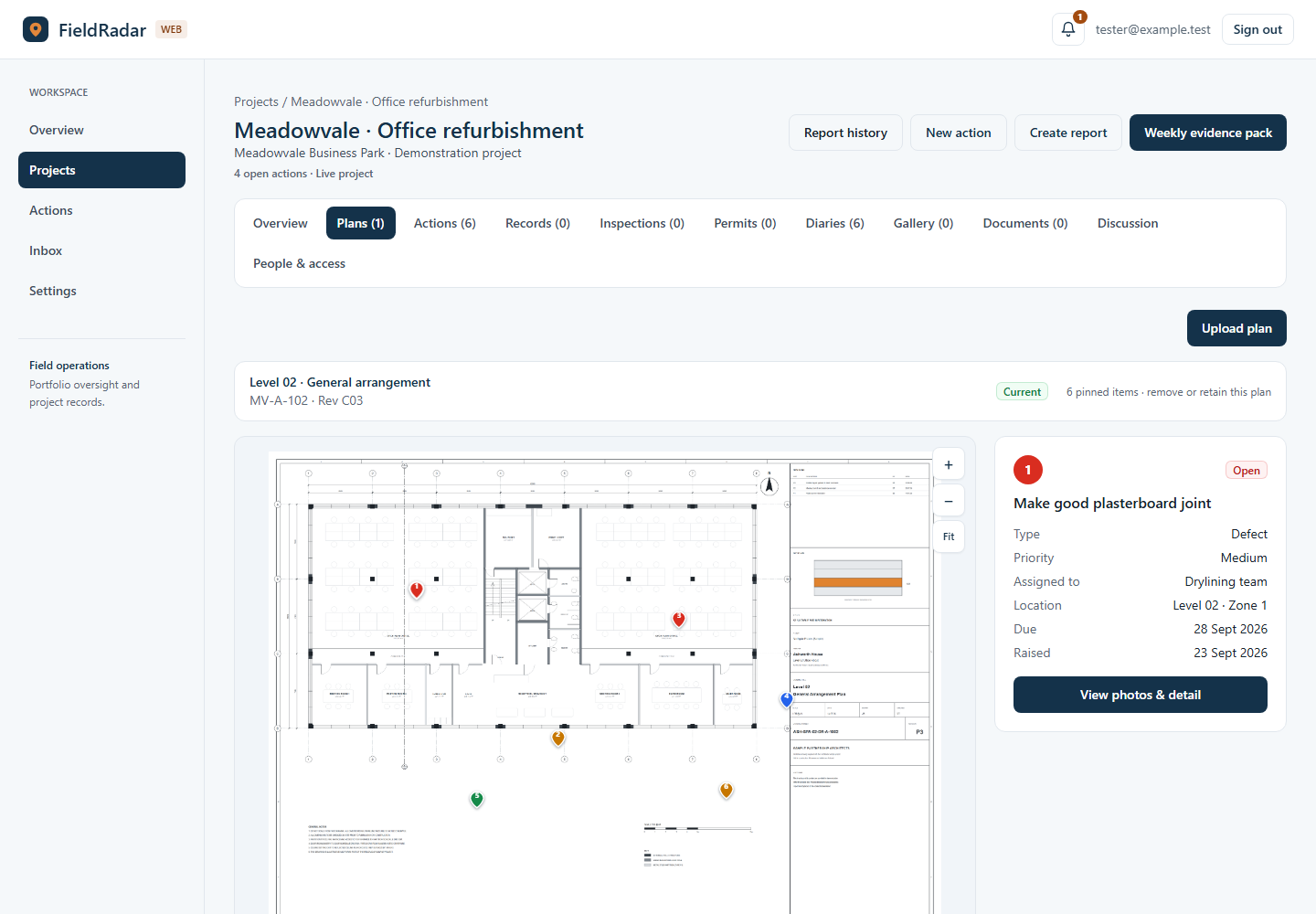
Upload plans, track drawing revisions and open actions from their pins. Keep each issue connected to its location.
Construction site management
From the site walk to the office desk. Capture evidence in the app, manage the work in your browser, and build reports from the same project record.
Free tier · No card needed · iPhone, Android & web
 On site
Project control from your browser
More than a place to view photos. Upload drawings, create and assign actions, manage the daily record and prepare reports—all from your browser.
Explore the dashboardUpload plans, track drawing revisions and open actions from their pins. Keep each issue connected to its location.
Filter open and overdue work. Update status, set responsibilities and discuss the detail against the record.
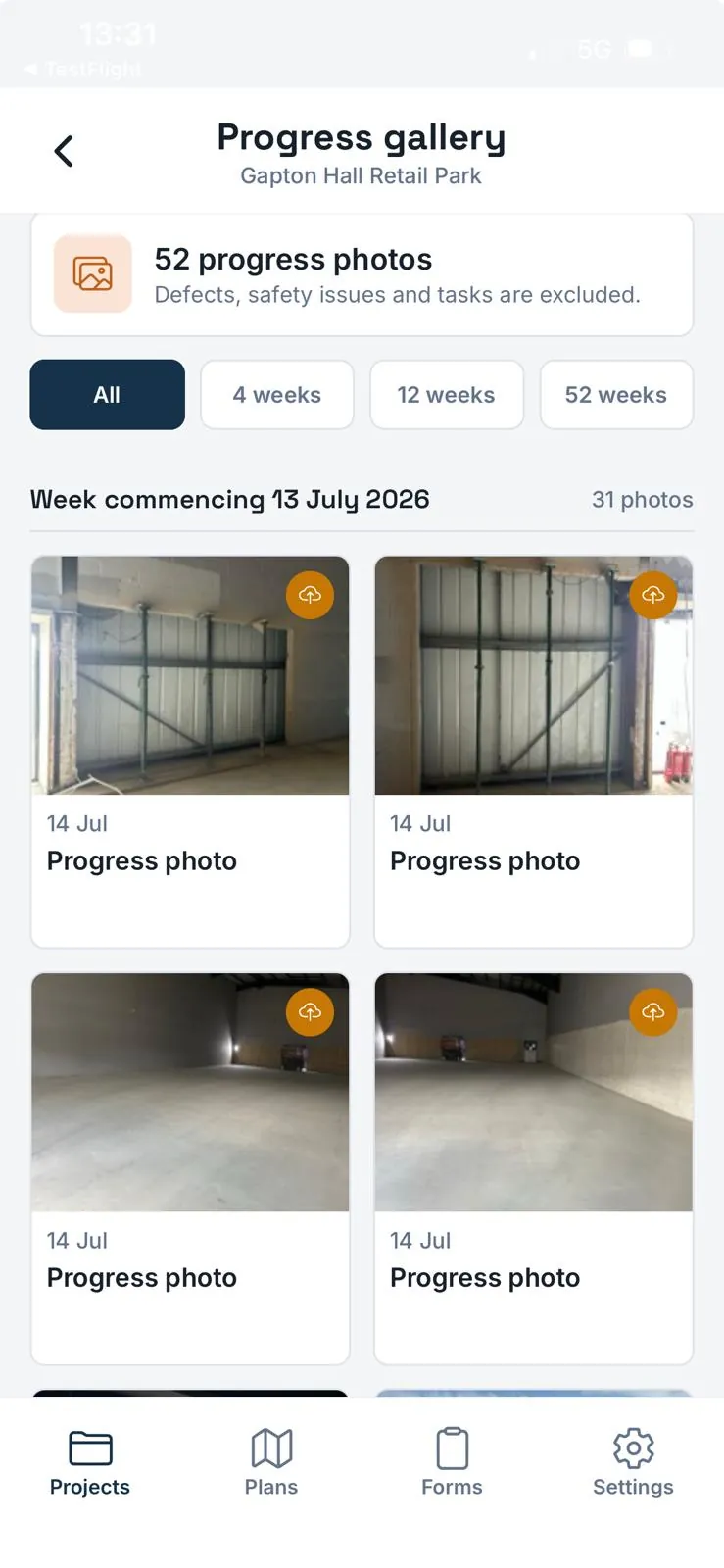
Browse progress photos by week, keep daily diaries and review inspection and permit records in one project.
Choose the records that matter for an action report, weekly report or evidence pack. Review the PDF before sharing.
Real dashboard screens · Demonstration data
The drawing, its revision and the work attached to it—together. View full-size screenshot (opens in a new tab)
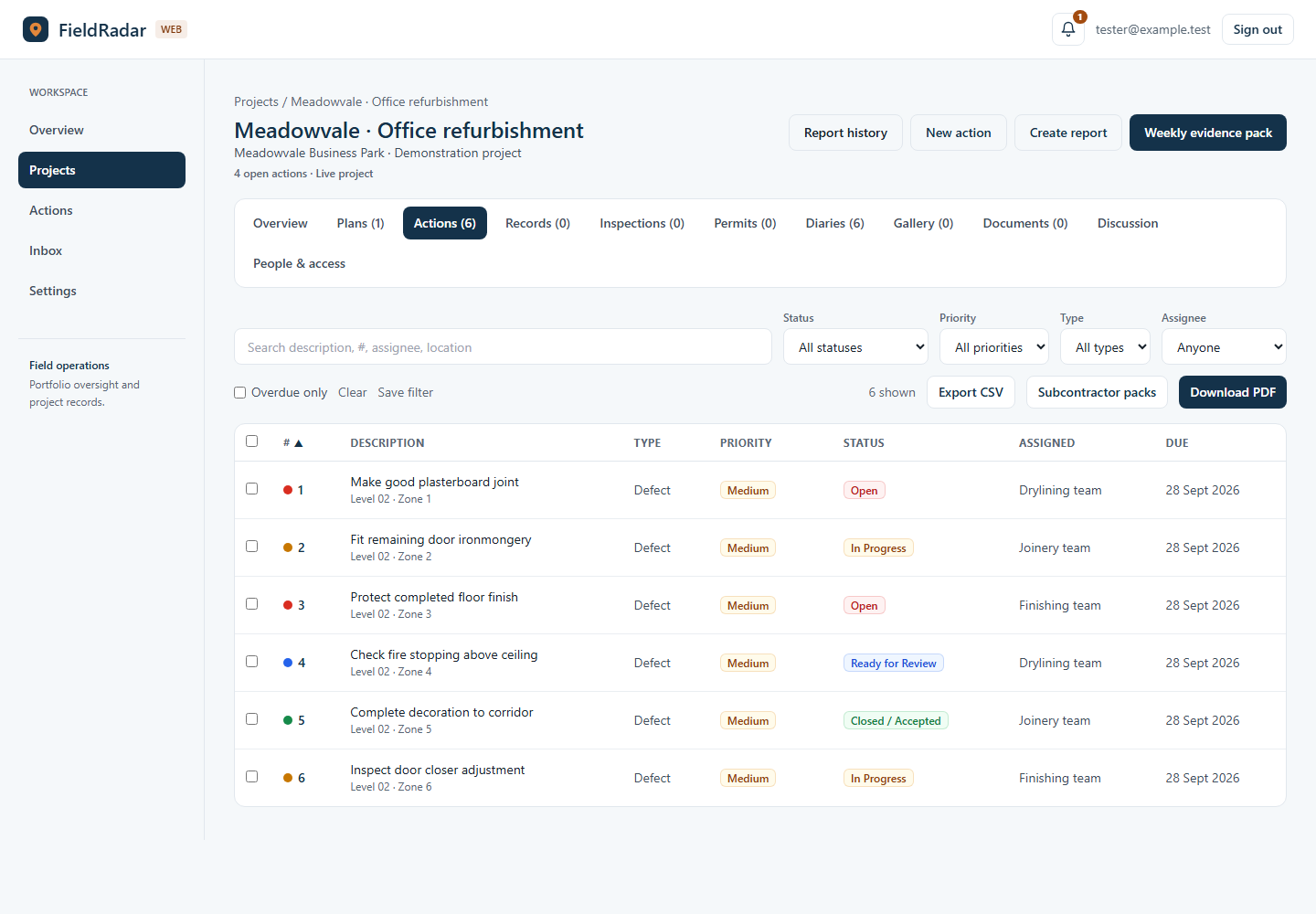
Find what needs attention, then update and assign the work. View full-size screenshot (opens in a new tab)
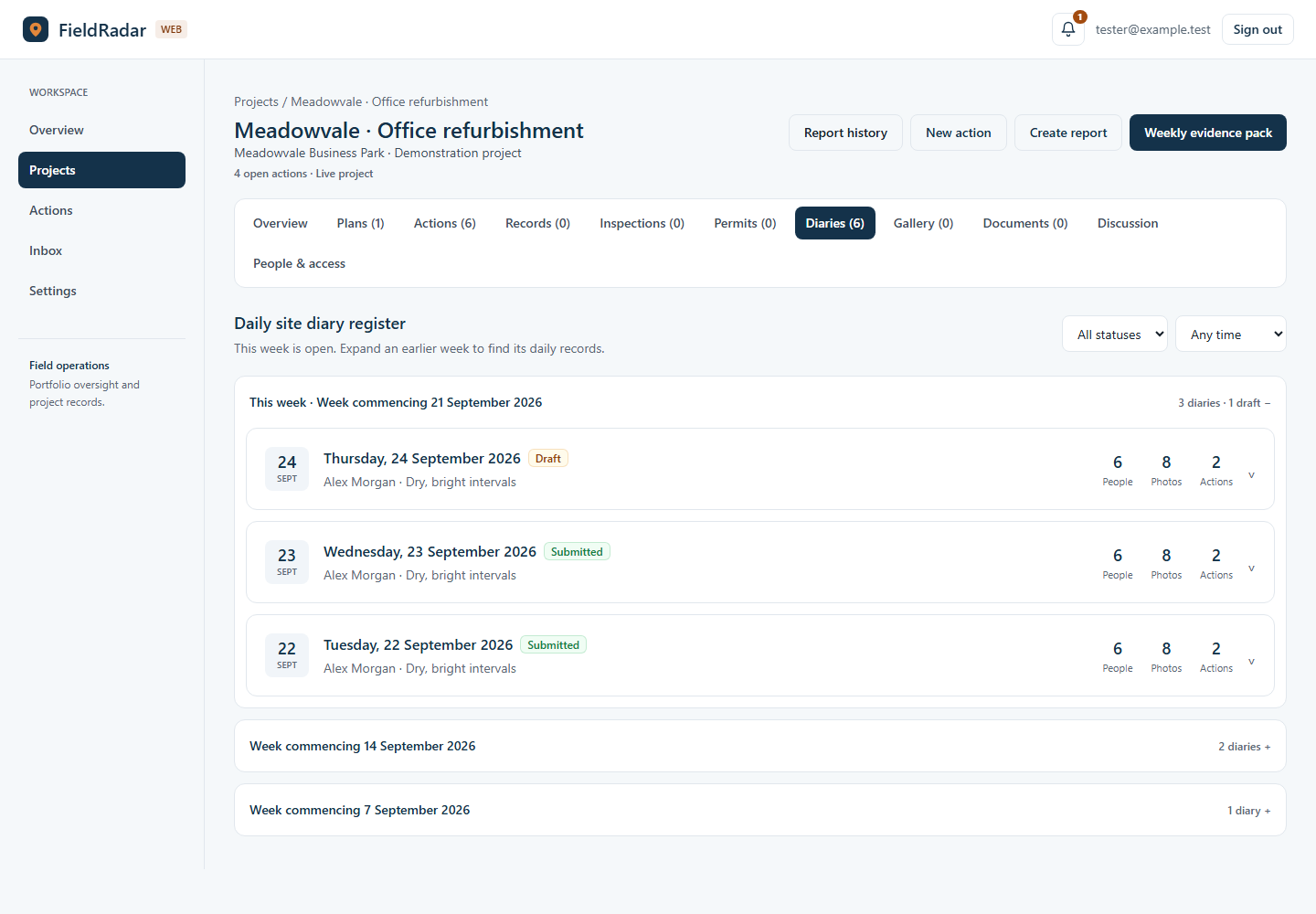
The daily site record, organised into weeks for a longer project. View full-size screenshot (opens in a new tab)
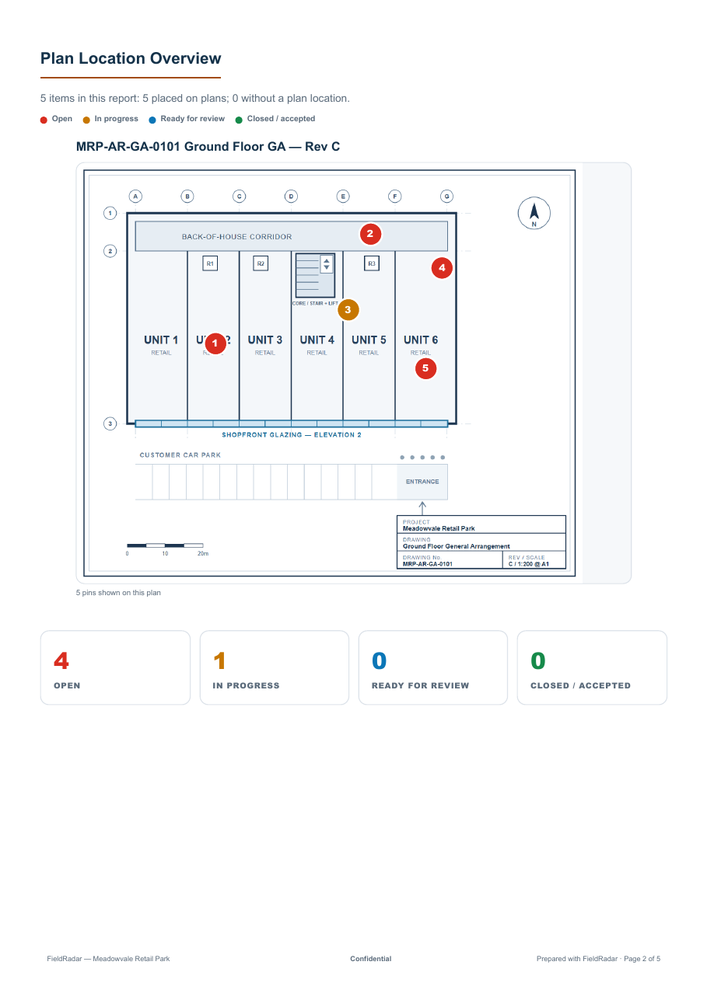
Plan locations and numbered actions, carried into a shareable report. Open the sample PDF
New in FieldRadar
See the site, understand current conditions and find the project information you need without searching through separate systems.
Explore the latest improvementsProject maps, current weather and available local flood alerts give the office useful context before the day starts.
Photos open on the last seven days. Diaries, inspections and permits are grouped so long projects stay quick to scan.
Connect ChatGPT or Claude and ask about the FieldRadar projects and records you already have permission to see.
“Which open actions need attention this week?”
The everyday site record
One place for the issues, checks and evidence that build up through a job.
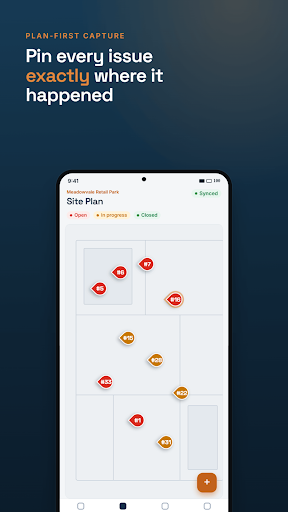
Locate the issue. Add evidence. Track the fix.
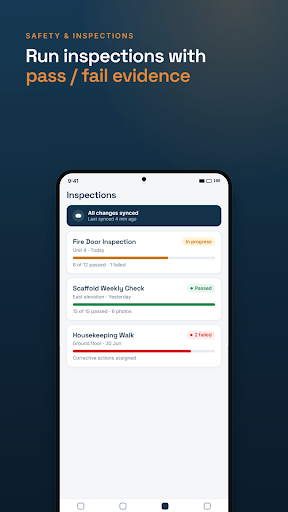
Repeatable checks with findings and follow-up actions.
Make the next step and its owner clear.
Keep progress and dilapidation evidence in context.
Record the permit, its checks and close-out.
Weather, labour, work completed and the day’s notes.
Follow the photographic record, week by week.
Turn the project record into something you can share.
Built around the site walk
Pin an issue to the drawing. Add photos, annotations or a voice note. Carry out the check before moving on.
Browser access, cloud services and issuing reports need a connection.
Get FieldRadar for iPhone or AndroidFrom evidence to an update
Your photos, notes and plan locations are already attached to the record. Choose what to include, preview the report and share the PDF.
Company branding and Excel-compatible CSV export are included with Pro.
See a sample report PDFPricing
Free and Pro are available through the App Store and Google Play, while Team plans put your whole company on FieldRadar with a 30-day free trial you can start online.
Team plans are billed monthly or annually, with two months free on annual billing.
For trying FieldRadar on one job
£0
For regular individual use
£9.99 /month
Introductory price for the first three months, then £14.99/month. Annual: £79.99 for the first year, then £119.99/year.
For your whole company
Priced per project, not per person
£99 /month
Or £990/year (two months free). Up to three live projects; archived projects do not count.
No card needed. No demo or sales call.
No. Defect capture is part of it, but FieldRadar also handles safety findings, tasks, progress notes, dilapidation records, inspections, permits, daily site diaries, photo annotation and reporting.
Yes. Upload plans from PDF or image, place pins on them, and link actions and evidence straight to those locations.
Share an issued PDF with the people who need the record.
Capture site records and photos on your device without a connection, using plans already downloaded. Sync when connected. Browser access, cloud services and issuing reports need a connection.
Yes. FieldRadar exports PDF reports, and Pro also includes Excel-compatible CSV export, report history and company branding.
No. FieldRadar helps record and evidence site checks and workflows. It does not replace competent-person judgement, RAMS, statutory inspections, client procedures or professional safety advice.
Email support@fieldradar.co.uk. Current support is best-effort with no guaranteed coverage, response or resolution time; see support details.
Put it to work
Try FieldRadar on a real job. See the record take shape from site to office.
Available on the App Store and Google Play. Free tier, no card needed.