Construction reporting app
Site reporting without the evening admin
FieldRadar turns on-site capture into PDF and CSV output with plan locations and photo evidence. Company branding comes with Pro. Check every export before you issue it.
The report is where the day's admin lands
At the end of the day the capture has to become something you can send: an open-defects list for the client, a progress-evidence pack for a valuation, a permit record for the file. Rebuilding that by hand is slow and error-prone.
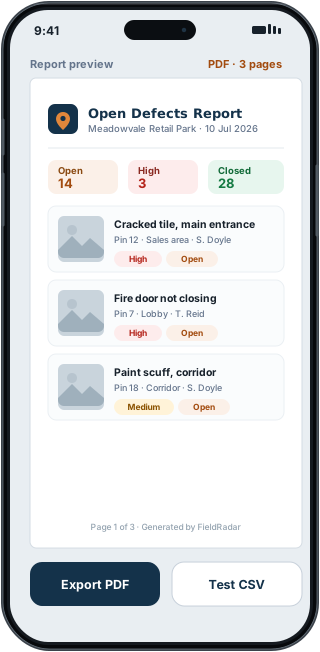
FieldRadar assembles the report from the data you already captured and exports PDF or Excel-compatible CSV, so the evidence and plan locations are already in place. See a sample report (PDF).
How FieldRadar helps
Report presets
Open defects, overdue items, safety audit, completed evidence and per-contractor packs, built from your live data.
Plan locations and photos
Reports include a plan-location overview and the photo evidence, so the reader can see exactly where each item is.
Your branding
Add your company name and logo to reports with Pro. Check every report before you issue it.
PDF and Excel-compatible CSV
Export a PDF to send or an Excel-compatible CSV for the commercial team. Report history is kept on your device.
What it does not do
FieldRadar generates reports from the data you capture. It does not write the commentary for you or replace your own sign-off. The browser dashboard supports office review, bulk updates, collaboration and reporting at the desk.
Common questions
What formats can I export?
PDF on every plan, plus Excel-compatible CSV and company branding with Pro. The store listing controls current pricing and availability.
Can the client see the report without the app?
Yes. Export the report as a PDF and send it to anyone; they do not need the app or an account to read it.